Floral Round Vector: A Practical Guide to Selecting and Using Circular Botanical Assets
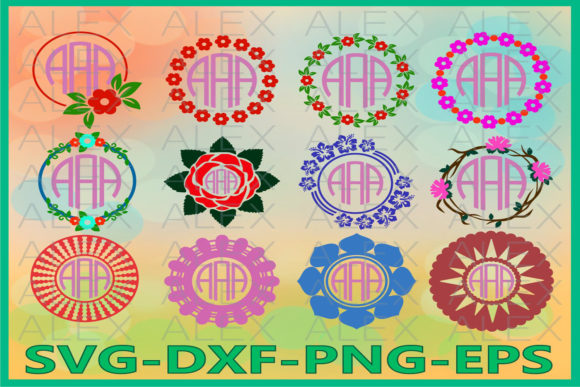
A floral round vector is one of the most versatile assets in a designer’s toolkit, serving as the foundational element for everything from wedding invitations and product packaging to social media badges and website headers. The appeal lies in its geometry; the circle implies unity, completeness, and focus, while the botanical elements add organic warmth and texture. However, because these assets are so ubiquitous, the market is saturated with varying quality levels. For creators, marketers, and small business owners, the challenge is rarely finding a floral round vector, but rather identifying one that maintains professional integrity across different media.
Many users encounter frustration not because the concept is flawed, but because they select files based solely on thumbnail aesthetics rather than technical construction. A beautiful preview image can mask structural issues that only become apparent when you attempt to resize, recolor, or integrate the graphic into a larger layout. Understanding the technical and aesthetic nuances of circular botanical vectors prevents wasted budget, lost time, and amateurish final results.
The Resolution Trap and Scalability Misconceptions
The primary advantage of choosing a floral round vector over a raster image is infinite scalability without pixelation. Despite this, a common mistake involves downloading files that are marketed as vectors but contain embedded raster elements. Some designers create complex watercolor textures, trace them loosely, and save them as EPS or SVG files. While the file extension is correct, the internal data remains pixel-based. When you scale these up for a banner or large-format print, the edges blur and the colors band.
To avoid this, always inspect the file structure before committing to a purchase or download. Open the asset in Adobe Illustrator, Affinity Designer, or Inkscape. Use the direct selection tool to click on individual petals and leaves. If the object highlights with anchor points and paths, it is a true vector. If it selects as a single bounding box with no editable nodes, or if zooming in reveals pixels, it is essentially a JPEG inside a vector container. True vector florals allow you to adjust the curve of a stem or separate overlapping elements, which is essential for customizing a generic floral round vector to fit a specific brand identity.
Navigating Licensing for Commercial Application
Licensing is frequently overlooked until a cease-and-desist letter arrives or a platform flags content. There is a significant distinction between personal use, commercial use, and extended commercial licensing. Many free repositories offer floral round vector assets under licenses that prohibit use in products intended for resale. If you are an entrepreneur creating physical stationery, apparel, or digital templates for sale, a standard commercial license is often insufficient.
Furthermore, be wary of "no attribution required" claims on aggregate sites. These platforms sometimes host stolen content where the original creator never waived attribution rights. Relying on such sources exposes your business to legal risk. The safer, more professional approach is to acquire assets directly from reputable marketplaces or independent artists where the license terms are explicit and tied to the specific file. Always save a copy of the license agreement with your project files. This documentation proves your right to use the asset should a client or platform ever question the origin of your design.
Evaluating Composition and Negative Space
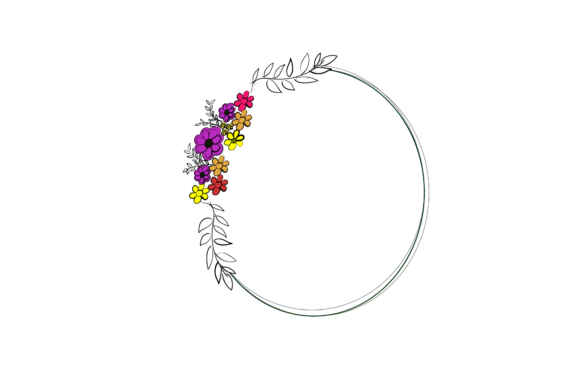
A technically perfect vector can still fail aesthetically if the composition ignores functional requirements. A dense, fully filled floral round vector looks stunning as a standalone icon but becomes unusable as a frame or badge. Designers often forget to account for negative space—the breathing room needed for typography or central imagery. When the botanical elements crowd the center, adding text requires masking out flowers, which destroys the integrity of the original artwork and creates awkward visual gaps.
Before selecting a vector, define its end purpose. If you need a border, look for wreaths with open centers and balanced weight distribution. If you need a background element, seek designs with lower opacity or lighter stroke weights that won’t compete with foreground content. Test the asset by placing dummy text or your logo inside it immediately after download. If the text feels cramped or the contrast is poor, the asset is not suitable for your needs, regardless of how pretty it looks in isolation. Prioritize utility over decoration to ensure the final product communicates effectively.
Color Modes and Print Readiness
Digital screens display color using RGB light, while printers use CMYK ink. A vibrant neon pink floral round vector that pops on a monitor may print as a muddy, desaturated mauve. Many vector packs are created exclusively in RGB for web use. Converting these to CMYK later can result in unpredictable color shifts that ruin brand consistency.
Check the document color mode before starting your project. If you intend to print, source vectors that are natively CMYK or include separate print-ready versions. Even then, verify the color values. Rich blacks should be built with cyan, magenta, and yellow components to avoid looking flat, while bright greens and oranges may require spot colors (Pantone) to reproduce accurately. For those new to print production, requesting a physical proof or consulting with your printer about color gamut limitations is a necessary step. Do not assume that because a file is scalable, it is also print-optimized.
File Format Compatibility and Workflow Efficiency
Not all vector formats are created equal. While SVG is the standard for web, it often lacks support for advanced features like mesh gradients, complex blends, or variable width strokes. Opening an AI or EPS file in a browser or basic editor can result in missing elements or distorted shapes. Conversely, using a raw AI file for web deployment will bloat page load times and cause rendering errors.
- For Web: Optimize SVGs using tools like SVGO to remove metadata and redundant code. Ensure the viewBox is correctly defined so the floral round vector scales responsively.
- For Print: Use PDF or EPS formats that preserve high-fidelity color data and layer structures.
- For Editing: Retain the native source file (AI, AFDESIGN) to maintain full editability for future revisions.
Maintaining a organized library of assets in their appropriate formats saves hours of troubleshooting. Never overwrite your master source file when exporting for specific uses. Create a workflow where the pristine, editable floral round vector remains untouched, and derivatives are generated only for specific outputs.
Making Informed Decisions for Long-Term Value
The lowest-cost option is rarely the most economical choice in professional design. Free or cheap floral round vector bundles often lack cohesion, meaning individual elements don’t share the same line weight, style, or color palette. Mixing mismatched assets creates a disjointed visual experience that undermines brand credibility. Investing in a curated collection from a single artist or studio ensures stylistic consistency across multiple projects.
Ultimately, treating vector selection as a strategic decision rather than an afterthought elevates the quality of your work. By verifying true vector construction, respecting licensing terms, prioritizing functional composition, managing color accuracy, and organizing file formats, you transform a simple decorative element into a reliable professional asset. The goal is not just to find a pretty circle of flowers, but to secure a flexible, legally safe, and technically sound resource that supports your creative and business objectives for years to come.