Evaluating Floral Design Elements in Watercolor for Professional and Personal Projects
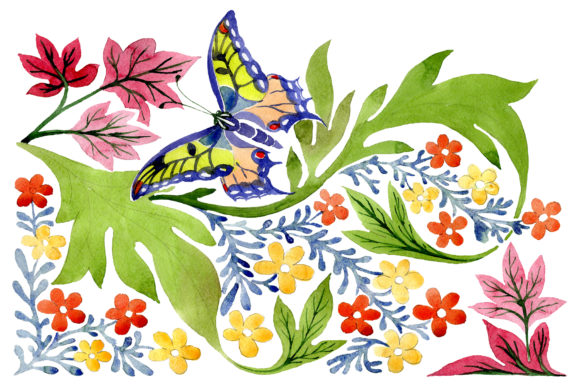
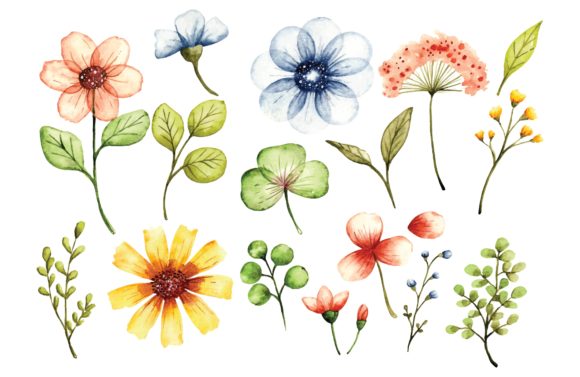
Selecting the right visual assets requires balancing aesthetic appeal with technical utility. When considering Floral Design Elements in Watercolor, designers and creators are often navigating the intersection of traditional artistic warmth and modern digital flexibility. Unlike standard vector clip art or flat graphic illustrations, watercolor-style elements introduce organic texture, pigment variation, and a sense of hand-painted authenticity that is difficult to replicate with purely geometric tools. However, the decision to utilize these specific assets should be based on a clear understanding of their format capabilities, project suitability, and how they compare to alternative illustration styles.
This resource set typically arrives in two distinct formats: an editable EPS vector file and a high-resolution JPG. Understanding the functional differences between these deliverables is essential for determining whether this specific collection aligns with your workflow. While the watercolor aesthetic offers unique emotional resonance, it also presents specific limitations regarding scalability and editability that differ significantly from solid-color vector graphics or raster-only brush packs.
Distinguishing Characteristics of Watercolor-Style Vectors
The primary value proposition of Floral Design Elements in Watercolor lies in the hybrid nature of the asset. True watercolor is a raster medium defined by unpredictable fluid dynamics. When translated into a vector format like EPS, the design undergoes a transformation that impacts both its appearance and its malleability. It is important to recognize that "vector watercolor" is rarely a live simulation of paint; rather, it is usually a traced interpretation or a textured shape built with complex anchor points and gradient meshes.
This distinction matters for evaluation. If you require the ability to change individual petal colors instantly via a fill bucket tool, many watercolor vectors may not function as expected due to overlapping transparency layers and texture masks. Conversely, if you need infinite scalability without pixelation for large-format printing, the EPS format provides a significant advantage over standard 300 DPI raster images. The high-resolution JPG included in this set serves as a reliable fallback for projects where texture fidelity is more critical than color customization, preserving the original artistic intent without the risk of vectorization artifacts smoothing out delicate paper grain details.
Comparing Watercolor Elements to Flat Vector Illustrations
When researching floral assets, you will frequently encounter flat vector illustrations. These are characterized by solid fills, clean lines, and uniform color fields. Comparing Floral Design Elements in Watercolor against flat vectors reveals distinct tradeoffs:
- Visual Weight and Texture: Flat vectors are lightweight and render instantly on web platforms. Watercolor elements carry higher visual complexity. They add depth and a tactile quality that flat designs lack, making them superior for luxury branding, wedding stationery, and organic product packaging.
- Editability vs. Authenticity: Flat vectors offer maximum control; every curve and color is adjustable. Watercolor vectors prioritize aesthetic authenticity over structural simplicity. Editing them often requires manipulating opacity masks or gradient meshes rather than simple path adjustments.
- File Size and Performance: A set of floral design elements in watercolor style will inherently have larger file sizes due to the complexity required to simulate paint bleeds and paper texture. For web-first projects where load speed is paramount, flat vectors or optimized SVGs may be the more practical choice.
Format Utility: EPS Vector vs. High-Resolution JPG
Receiving assets in both EPS and JPG formats provides versatility, but each serves a different phase of the design process. Evaluating which format to use depends entirely on the end application.
The Role of the Editable EPS
The EPS (Encapsulated PostScript) format is the industry standard for vector exchange. In the context of floral watercolor elements, the EPS allows for non-destructive scaling. This is critical for print production where resolution independence is mandatory. However, users should manage expectations regarding "editability." While you can resize, rotate, and rearrange components freely, recoloring watercolor vectors can be labor-intensive. The texture is often baked into the object's appearance through clipping masks or embedded raster textures within the vector container. Before purchasing or downloading, verify if your software (Adobe Illustrator, CorelDRAW, Affinity Designer) supports the specific method used to create the watercolor effect.
The Role of the High-Resolution JPG
The high-resolution JPG acts as a definitive reference and a ready-to-use asset for raster-based workflows. For designers working in Photoshop, Procreate, or Canva, the JPG eliminates compatibility issues associated with complex vector tracing. It preserves the exact lighting, shadow, and pigment density intended by the artist. If your project involves digital invitations, social media graphics, or web banners where dimensions are fixed, the JPG is often the superior choice because it guarantees the texture remains crisp and unaltered by vector rendering engines that sometimes flatten transparency effects.
Best-Fit Scenarios and Practical Applications
Determining when to choose Floral Design Elements in Watercolor over other styles requires assessing the emotional tone and technical requirements of the project. This style is not a universal solution but excels in specific niches.
Ideal Use Cases
- Wedding and Event Stationery: The softness and romantic connotation of watercolor florals make them the industry standard for invitations, save-the-dates, and seating charts. The organic imperfections convey intimacy that rigid geometry cannot.
- Natural and Organic Branding: Skincare lines, botanical teas, and sustainable fashion brands benefit from the handcrafted feel of watercolor. It signals "natural" and "artisanal" to consumers subconsciously.
- Editorial and Publishing: Book covers, chapter dividers, and magazine layouts utilize these elements to break up text-heavy pages with organic negative space.
- Textile and Surface Pattern Design: The EPS format allows these florals to be arranged into seamless repeats for fabric printing, wallpaper, or wrapping paper without losing edge definition at scale.
Situations Requiring Alternatives
Despite their beauty, watercolor elements are not always the correct technical or stylistic fit. Consider alternatives in the following scenarios:
- Corporate Tech or Finance: Industries requiring precision, stability, and modernity may find watercolor too whimsical or imprecise. Geometric or line-art florals often communicate professionalism more effectively in these sectors.
- Small-Scale UI Icons: At 16px or 24px sizes, watercolor texture disappears and becomes visual noise. Solid icons or simplified glyphs are necessary for interface clarity.
- High-Contrast Accessibility Needs: Watercolor relies on subtle gradients and low-contrast edges. If WCAG compliance or high visibility is the primary goal, bold, high-contrast vector art is safer.
- Rapid Prototyping: If you are iterating quickly and need to test fifty color variations in an hour, the complexity of recoloring watercolor vectors may slow down your workflow compared to flat design systems.
Evaluating Quality and Technical Integrity
Not all sets of floral design elements in watercolor style are created equal. When evaluating this or similar resources, look beyond the thumbnail preview. Assess the technical integrity of the files to ensure they meet professional standards.
Anchor Point Efficiency: Open the EPS file and inspect the paths. Poorly auto-traced watercolor can contain thousands of unnecessary anchor points, causing software lag and bloated file sizes. Well-crafted vectors use efficient curves to suggest texture rather than tracing every pixel of paint bleed.
Color Mode Consistency: Verify whether the EPS is in CMYK or RGB. Watercolor colors can shift dramatically between color spaces. If the asset is intended for print but supplied only in RGB, you may experience dullness in cyan and green tones upon conversion. A professional resource should ideally specify its color profile or provide separate versions.
Texture Resolution: If the vector uses embedded raster textures to achieve the watercolor look, zoom in to 400%. If the texture becomes pixelated while the outlines remain smooth, the embedded image is low resolution. This limits the effective scalability of the "vector" despite its format. True high-quality assets maintain texture fidelity at significant magnification.
Making an Informed Selection
Choosing Floral Design Elements in Watercolor is ultimately a decision about balancing artistic expression with production efficiency. This dual-format approach (EPS + JPG) offers a pragmatic compromise, catering to both vector purists who need scalability and raster artists who prioritize texture fidelity.
For those comparing options, weigh the necessity of editability against the desire for authentic texture. If your project demands the warmth of traditional media but the convenience of digital assets, this style bridges that gap effectively. However, remain mindful of the technical constraints regarding recoloring and file performance. By understanding these nuances, you can integrate these floral elements confidently, ensuring they enhance your design rather than complicate your workflow.
Whether you are designing a bespoke wedding suite or developing a seasonal product line, the versatility of having both editable vectors and high-resolution rasters ensures you have the appropriate tool for each stage of creation. Evaluate your specific output requirements, test the files in your native environment, and leverage the format that best supports your final deliverable.